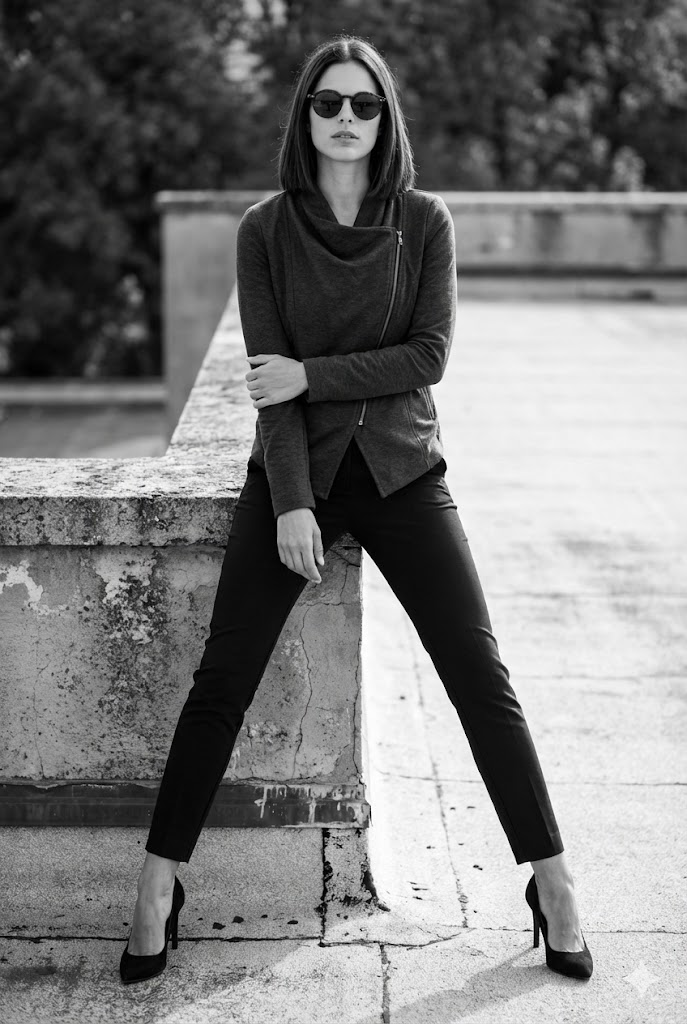
都市 屋上 モノクロ
Updated 2026-07-07
| Prompt type | 都市 屋上 モノクロ |
|---|---|
| Model | Nano Banana |
| Difficulty | Medium |
| Tags | 白黒, 都市とストリート, ファッションエディトリアル |
| Updated | 2026-07-07 |
Use this page as a production prompt card: review the example image, keep the constraints that define the look, adjust only the campaign-specific details, then test a small batch before saving a final version for the team.
| Element | Preserve | Adapt |
|---|---|---|
| Identity and pose | Face, expression, body angle, camera position, and core composition. | Only if the campaign requires a different subject or framing. |
| Lighting and color | The dominant lighting direction, mood, contrast, and color family. | Adjust intensity, season, or palette while preserving the visual rule. |
| Wardrobe and background | The outfit category and environmental logic that define the scene. | Swap brand, location, prop, or styling details for the target audience. |
| Check | Pass signal | Fix if weak |
|---|---|---|
| First output review | The generated image matches the requested framing and mood before minor edits. | Tighten camera, lighting, or identity instructions. |
| Reuse test | The same prompt produces recognizably consistent results across several runs. | Move flexible details into a short variable section. |
| Production handoff | A designer or marketer can use the prompt without asking what to preserve. | Add explicit do-not-change constraints and output format notes. |
/// 使い方
- 01.プロンプトをコピー上のテキストをコピーし、Gemini、ChatGPT、または画像生成に対応した他のAIモデルに貼り付けます。
- 02.写真をアップロードプロンプトと一緒に、自分の高品質な参照写真をチャットへ添付します。
- 03.良い照明を確保最も自然な再現には、均一で柔らかい光の写真を使います。深い影や強すぎる白飛びは避けてください。
- 04.見え方を確認顔が鮮明で完全に見えることを確認します。ぼけ、強いフィルター、サングラスなどの遮りは避けてください。
- 05.複数回生成AIの結果は毎回変わります。最初の画像が完璧でなければ、もう一度生成してください。試行を重ねると似やすくなります。
Prompt FAQ
How should this prompt be adapted?
What is this AI prompt for?
+
What is this AI prompt for?
AIで「都市 屋上 モノクロ」を生成するためのプロンプトです。構図、ライティング、質感、ムードをそろえた編集向けビジュアル制作に使えます。 It is written as a reusable creative direction block, so the user can preserve identity, camera framing, lighting, clothing, mood, and output ratio while adapting the surrounding campaign details. That structure helps teams keep visual results consistent across multiple image-generation runs.
How should this prompt be used?
+
How should this prompt be used?
Use the prompt with a compatible image-generation workflow, keep the identity and pose constraints that matter, and adjust only the visual details that should change for the target campaign or creative direction. Before generating at scale, test one reference image, compare the output against the required pose and lighting, then save the strongest variation as the production baseline.
Which creative teams benefit from this prompt?
+
Which creative teams benefit from this prompt?
This prompt is useful for creative professionals, agencies, fashion teams, content teams, and social media operators who need repeatable visual direction instead of ad hoc prompt writing. It is strongest when a team wants a consistent aesthetic across ads, editorial concepts, profile imagery, campaign mockups, or social content without rebuilding the full prompt from scratch.
What makes this prompt reusable?
+
What makes this prompt reusable?
The prompt separates identity preservation, camera framing, lighting, clothing, background, mood, and output format. That structure makes it easier to adapt while keeping the visual result consistent. Teams can change the campaign context, wardrobe nuance, background intensity, or color palette while keeping the core composition intact.
Technical notes
What context is kept for discovery and retrieval?
What structured context is available on this prompt page?
+
What structured context is available on this prompt page?
This page exposes the prompt title, model, difficulty, tags, update date, image example, reusable prompt text, adaptation guidance, quality checks, FAQ answers, Article JSON-LD, and FAQPage JSON-LD in server-rendered HTML.
Which references support prompt workflows?
+
Which references support prompt workflows?
Prompt systems are easier to maintain when model context, structured metadata, and repeatable creative rules are documented together. These links are supporting references, not the main creative instruction.